

A website maintenance plan sounds reassuring until something breaks and nobody knows what “support” actually means. For a Calgary business relying on its website for leads, bookings, sales, or customer information, the details matter.
A website maintenance SLA sets expectations around response times, priorities, responsibilities, and emergency support. Understanding those terms makes it much easier to compare maintenance providers and know what will happen when your website needs attention.
Key Takeaways
- An SLA should define more than a vague promise to provide “fast support.”
- Response, investigation, workaround, and resolution are different stages and should not be confused.
- Critical website outages should normally be treated differently from routine content changes.
- The agreement should explain support hours, escalation procedures, covered work, exclusions, and communication methods.
- WordPress maintenance should include updates, backups, monitoring, and a process for dealing with problems caused by updates.
- Businesses should choose response requirements based on what an outage actually costs them, rather than simply choosing the plan with the shortest advertised response time.
What a website maintenance SLA should actually cover
A service level agreement, or SLA, defines measurable expectations between a client and service provider. In website maintenance, the useful part is not the acronym. It is the clarity the agreement creates when something goes wrong.
A good website maintenance service level agreement answers basic operational questions before there is an emergency:
- When is support available?
- How quickly will someone acknowledge a request?
- How are critical and non-critical issues classified?
- What happens if a site is completely unavailable?
- Who decides whether something qualifies as an emergency?
- Which maintenance activities are included in the monthly service?
- Which requests require separate project work?
- How does the client report a problem?
- Who receives updates during an incident?
- What happens when another vendor, hosting company, plugin developer, or payment processor is involved?
Without those details, “website support included” can mean almost anything.
For example, a Calgary professional services company might consider a broken staff photo a website issue, but it is unlikely to be an emergency. A broken enquiry form is more serious because prospective customers cannot contact the business. A completely inaccessible site or failed checkout process requires a different level of attention again.

That distinction should be built into the agreement rather than decided during the incident.
Businesses comparing ongoing support should look beyond the technical task list and consider how problems will actually be handled. Clio Websites’ Calgary website maintenance service includes regular updates, testing, backups, and monitoring.
An SLA is different from a maintenance checklist
A maintenance checklist describes what gets done.
An SLA describes how service is delivered and how problems are handled.
Your maintenance plan might include WordPress updates, backups, uptime checks, performance reviews, and plugin maintenance. The SLA adds operational expectations around those tasks.
The two should work together.
Response time is not the same as resolution time
One of the easiest SLA terms to misunderstand is “response time.”
Suppose an agreement promises a one-hour response. That does not necessarily mean the website will be repaired within one hour.
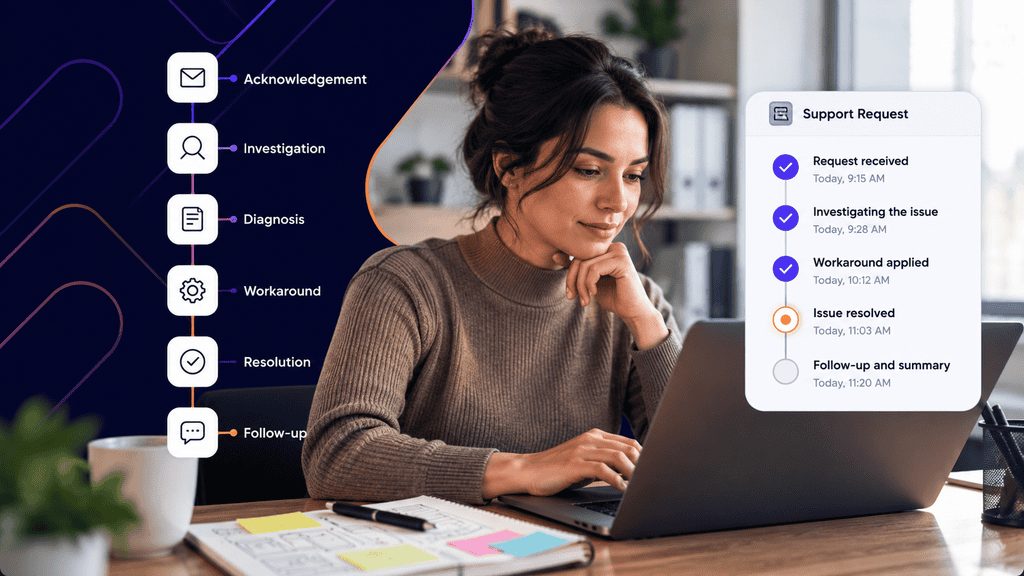
There are usually several stages:
| Stage | What it means | Example |
| Acknowledgement | The provider confirms the issue has been received | “We have received the outage report and are investigating.” |
| Initial response | Someone begins reviewing the problem | A developer checks the server, WordPress logs, or recent changes |
| Diagnosis | The probable cause is identified | A plugin update created a fatal PHP error |
| Workaround | Service is temporarily restored | The problematic plugin is disabled |
| Resolution | The underlying issue is fixed | A compatible version or code correction is deployed |
| Follow-up | The provider explains what happened and any next steps | The client receives an incident summary |
This distinction matters because resolution time depends on the problem.
Changing incorrect text might take minutes. Restoring a website after a failed deployment may require backup recovery. An issue inside a third-party booking system may require the software vendor to respond before the maintenance provider can complete the repair.
A useful SLA should therefore avoid unrealistic promises such as “all issues fixed within two hours.” Instead, it should define response commitments and explain how complex incidents are managed.
Ask what starts the clock
The agreement should also specify when an SLA timer begins.
Does the clock start when you:
- Send an email?
- Submit a support ticket?
- Call an emergency number?
- Receive confirmation from the support system?
This becomes especially important outside regular business hours.
For a Calgary company, support hours should ideally be written using a clear time zone such as Mountain Time. If after-hours emergency coverage exists, the agreement should also explain which issues qualify and how they must be reported.
Sending a routine email at midnight should not necessarily activate an emergency SLA.
What support response times should you expect?
There is no universal website support response time that every business needs.
The practical approach is to classify requests by business impact.
A brochure-style website for a small consulting company has different requirements from an eCommerce store processing orders throughout the day. The SLA should reflect that difference.
A useful priority framework might look like this:
| Priority | Typical situation | Reasonable SLA focus |
| Critical | Site completely offline, checkout unavailable, major security incident | Immediate acknowledgement and active investigation |
| High | Lead form broken, important functionality unavailable, serious display problem across the site | Rapid response during covered support hours |
| Normal | Plugin issue with workaround, isolated page error, non-critical functionality problem | Same-day or next-business-day review |
| Low | Text edits, image replacements, minor styling requests | Scheduled maintenance queue |
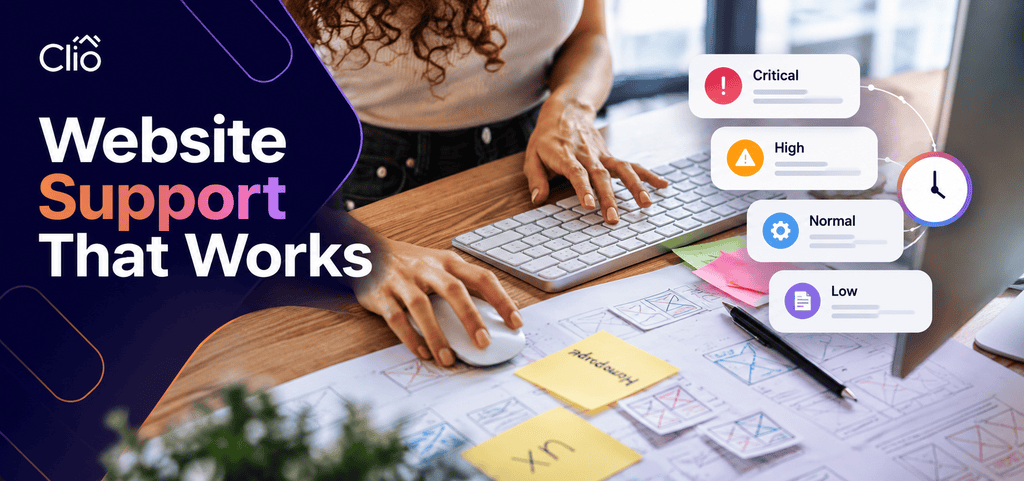
The exact times are less important than making the categories clear.
A provider might call these P1 through P4, Severity 1 through Severity 4, or Emergency, Urgent, Standard, and Routine. The label does not matter as much as the definition.
Critical incidents
A critical incident usually means the website cannot perform one of its essential functions.
Examples include:
- The entire site is unavailable.
- Customers cannot complete purchases.
- A serious error prevents users from reaching major sections of the site.
- A confirmed security incident is actively affecting the website.
- An essential customer-facing application has stopped working.
These situations justify the strongest response commitment in the SLA.
High-priority problems
A high-priority issue affects the business significantly without taking down the whole site.
For example, imagine a Calgary accounting firm running paid advertising to a tax consultation landing page. The rest of the website works, but the enquiry form on that landing page has stopped submitting.
Technically, the site is online. Commercially, however, an important conversion path is broken.
The SLA should make room for business impact rather than classifying incidents based solely on whether the server responds.
Routine support
Not every request should be treated as an emergency.
Replacing a team member’s photograph, publishing a new PDF, adjusting spacing, or changing a paragraph can usually enter a normal support queue.
Trying to provide emergency treatment for every request creates two problems. It makes support more expensive, and it reduces the distinction between a real outage and an ordinary content change.
If a request moves beyond routine maintenance into custom functionality, integrations, or significant changes to the site’s code, it may fall under WordPress development rather than ordinary maintenance.
What should ongoing website support include?
Fast response times are useful, but they do not replace preventative maintenance.
A provider that answers emergencies quickly but rarely checks the website may create more emergencies than a provider that maintains the site carefully.
For WordPress websites, ongoing maintenance commonly includes several areas.
Core, plugin, and theme updates
WordPress, plugins, and themes change over time. Updates may address bugs, compatibility issues, functionality, and security.
WordPress recommends keeping plugins and themes current and provides built-in controls for automatic updates. Its documentation also advises maintaining backups so a website can be rolled back if an update causes problems.
For business websites, simply pressing “update all” is not always enough. A maintenance process may need to consider:
- whether the site has custom code,
- whether the plugin is business-critical,
- whether a staging environment should be used,
- whether a backup exists before the change,
- whether forms and checkout processes still work afterward.
WordPress also states that its latest major release is the officially supported version. Older branches may receive security fixes, but WordPress provides no guaranteed support period for them.
Backups and recovery
A backup is only useful if it contains what is needed and can actually be restored.
For a typical WordPress installation, a complete backup needs to account for both the database and website files. WordPress explains that these are separate parts of the site and that both are needed for a full restoration.
An SLA does not necessarily need to promise an exact recovery time, but the maintenance agreement should answer questions such as:
- How often are backups created?
- Where are they stored?
- How many versions are retained?
- Is restoration included?
- Who initiates a restore?
- Are backups tested?
- How much recently entered data could be lost if an older backup must be restored?
For a frequently updated eCommerce or membership website, those questions are more important than they are for a five-page informational website that changes twice a year.
Website monitoring
Monitoring may include uptime, errors, security warnings, expired certificates, failed scheduled tasks, or other indicators depending on the site.
The goal is to detect important problems before the first customer complaint becomes the monitoring system.
This does not mean every minor warning should trigger an emergency. The maintenance provider should determine which alerts require action and which should be reviewed during routine maintenance.
Performance checks
Website performance can regress gradually.
A new marketing script, oversized homepage image, page-builder widget, analytics tool, plugin, or font package can affect loading and interaction even when nothing technically “breaks.”
Google’s Core Web Vitals measure loading performance, interaction responsiveness, and visual stability. Regular monitoring matters because a website can regress as its content, code, and third-party services change.
A maintenance service therefore should not focus exclusively on visible failures.
If recurring performance or usability problems come from the site’s underlying layouts or mobile experience, routine maintenance may not be enough. In that situation, a broader responsive web design review may be more appropriate.
How emergency website support should work
An emergency process should be predictable.
When a website fails, nobody should have to search old emails to find out who to contact or debate whether the issue counts as urgent.
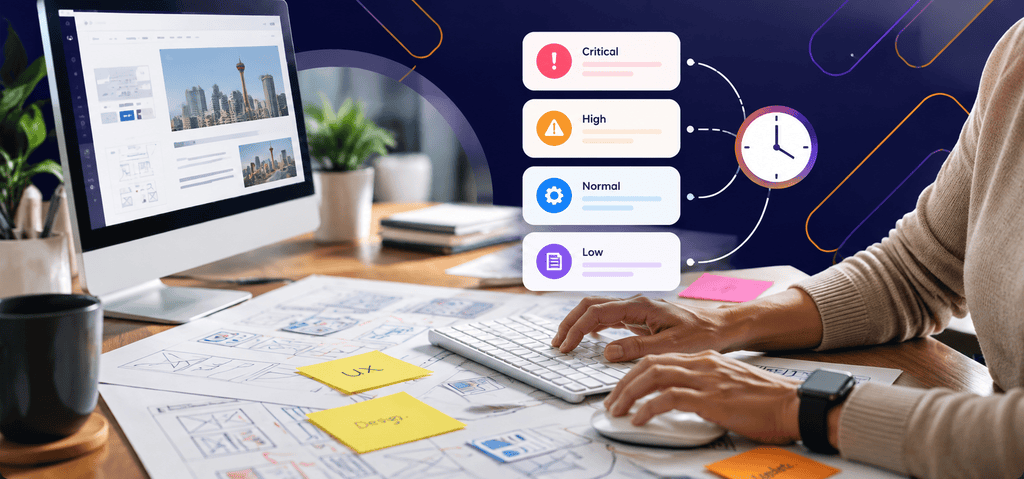
A practical emergency workflow looks like this:
- Confirm the problem. Check whether the site is unavailable for multiple users or whether the problem is isolated to one browser, account, network, or page.
- Use the designated emergency channel. Follow the SLA rather than sending requests through several unrelated channels.
- Describe the business impact. “Checkout fails for every order” is more useful than “website broken.”
- Include evidence. Add the affected URL, screenshots, error messages, approximate start time, and recent changes if known.
- Avoid making uncontrolled changes. Installing random plugins, restoring old backups, or changing DNS while the developer investigates can complicate recovery.
- Establish the update cadence. For a major incident, the provider should say when the next status update can be expected.
- Review the incident afterward. If the outage exposed a preventable weakness, update the maintenance process.
Practical scenario: a Calgary service business loses its enquiry form
Consider a hypothetical home-services company receiving most new enquiries through its website.
At 9:15 a.m., staff notice that submissions are no longer appearing in the CRM.
Under a useful SLA, the company already knows how to report the problem. Support checks the form, confirms that submissions fail, and treats the incident according to its agreed severity because lead collection is an important business function.
The developer might discover that a recent plugin change affected the form’s integration. A temporary workaround could send leads directly to email while the integration is repaired.
The important measurement is not simply “how fast was the ticket closed?”
The better questions are:
- How quickly was the issue acknowledged?
- How quickly did investigation begin?
- Was lost business reduced with a workaround?
- Was communication clear?
- Was the root cause addressed?
- Was anything changed to reduce the likelihood of a repeat?
Those questions reveal far more about support quality than a single response-time number.
How to evaluate a maintenance agreement
Before comparing plans, decide what your business actually needs.
A company should not pay for 24-hour emergency coverage simply because it sounds safer. Conversely, a business that depends heavily on online orders should not discover during an outage that support only reviews tickets on weekday afternoons.
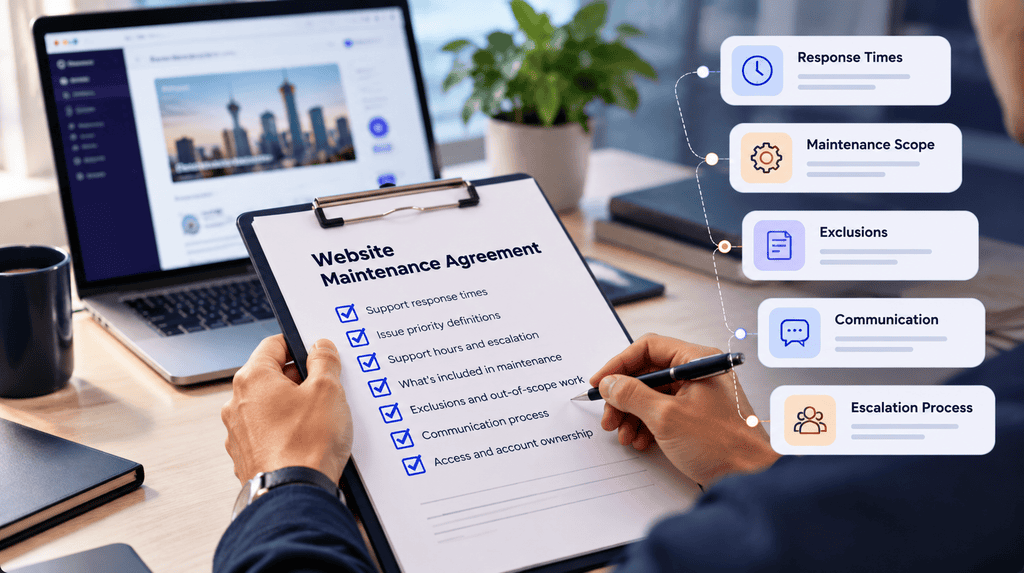
Use this checklist when reviewing a website maintenance SLA:
- Define your critical website functions. Identify the functions that directly affect revenue, enquiries, customer access, bookings, or operations.
- Ask for severity definitions. Make sure “urgent” and “critical” have written meanings rather than relying on judgement after an incident starts.
- Confirm response windows. Check normal business hours, evenings, weekends, holidays, and the time zone used in the agreement.
- Separate response from resolution. Look for clear wording about acknowledgement, investigation, communication, and repair expectations.
- Review maintenance scope. Confirm whether updates, backups, monitoring, content changes, security work, and performance checks are included.
- Check exclusions. Custom development, third-party services, hosting outages, major redesigns, premium software licences, and malware recovery may be handled separately.
- Understand escalation. Know what happens when the first-line person cannot resolve the problem.
You should also ask who owns the hosting account, domain registration, DNS access, analytics accounts, software licences, and website administrator credentials.
Support becomes much slower when nobody knows who controls a critical account.
Do not choose an SLA using response time alone
A guaranteed 15-minute acknowledgement sounds impressive, but it tells you very little by itself.
A more useful comparison considers:
- who actually investigates the issue,
- what support channels are available,
- what maintenance is performed before incidents happen,
- whether backups and recovery procedures exist,
- how third-party problems are handled,
- how well the provider communicates,
- and whether the agreement fits the importance of the website to your business.
A slightly longer response commitment from a team that understands your website may be more useful than an immediate generic acknowledgement from someone who cannot investigate it.
Choose the SLA around the website’s business role
The right maintenance agreement is not necessarily the one promising the shortest response time. It is the one that clearly matches how much your business depends on the website.
Define what is critical, what can wait, when support must be available, and what happens when something fails. Once those expectations are written down, website maintenance becomes much easier to evaluate, and emergencies become far less confusing.
FAQs
What is a website maintenance SLA?
A website maintenance SLA is an agreement that defines service expectations for ongoing website support. It may cover response times, issue priorities, maintenance responsibilities, support hours, escalation procedures, and exclusions.
The exact terms vary by provider and maintenance plan.
What is a reasonable website support response time?
It depends on the severity of the issue and the business impact. A completely unavailable website usually warrants a much faster response than a text update or minor design request.
Instead of looking for one response time for every request, look for clearly defined priority levels.
Does a one-hour response time mean the website will be fixed within one hour?
Not necessarily. Response time normally refers to acknowledgement or the start of investigation rather than guaranteed resolution.
Repair time depends on the cause, complexity, access requirements, and whether external vendors are involved.
Should a website maintenance agreement include emergency support?
It should explain what happens during emergencies, even if 24-hour emergency coverage is not included.
The agreement should define what qualifies as an emergency, how to report one, when support is available, and how escalation works.
What should WordPress maintenance include?
Depending on the website, common tasks include WordPress core updates, plugin and theme updates, backups, security monitoring, uptime checks, performance reviews, and testing after significant changes.
More complex WordPress sites may also need staging environments, custom-code maintenance, database work, or integration support.
Are website content changes normally covered by an SLA?
They can be, but the agreement should say so.
Some maintenance plans include a set amount of routine content work, while others cover only technical maintenance and bill content or development requests separately.
What happens if a third-party service causes the problem?
The maintenance provider may be able to diagnose the issue or create a temporary workaround, but final resolution could depend on the hosting company, plugin developer, payment processor, CRM provider, or another vendor.
A useful SLA explains how these dependencies affect response and resolution commitments.