
Choosing between Wix vs WordPress is less about which platform has the longest feature list and more about how much control your business needs.
Wix gives business owners a managed website builder with hosting, security, editing tools, and many marketing features in one system. WordPress gives you far more control over design, hosting, functionality, SEO, and future development, but that flexibility comes with more responsibility.
This comparison looks at the decision from a business perspective, including cost, SEO, maintenance, design freedom, eCommerce, scalability, and what happens when your website becomes more complicated.
Key Takeaways
- Wix is often easier for businesses that want an all-in-one system and expect to manage a relatively straightforward website themselves.
- WordPress requires more setup and ongoing maintenance, but provides considerably more control over hosting, themes, plugins, code, integrations, and site architecture.
- Both platforms can support SEO. The larger difference is how much technical control you need as your SEO strategy becomes more advanced.
- Wix bundles hosting and platform maintenance into its service. WordPress costs vary because hosting, development, plugins, maintenance, and other services can be selected independently.
- Businesses planning complex integrations, custom functionality, extensive content, advanced eCommerce, or significant future expansion often benefit from WordPress’s flexibility.
- The best choice depends on where the website needs to go over the next several years, not simply which platform is easiest to launch today.
Wix vs WordPress at a Glance
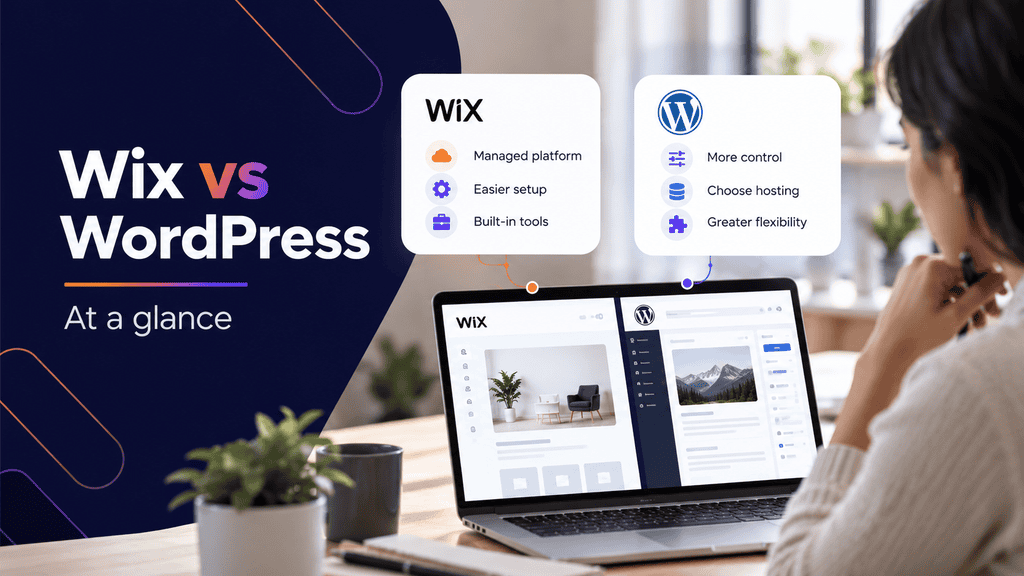
Wix and WordPress can both produce professional business websites, but they take fundamentally different approaches.
Wix is a hosted website-building platform. Your website editor, hosting environment, templates, security infrastructure, and many business tools are managed within the Wix ecosystem.
WordPress is open-source content management software. A business typically chooses its own hosting company, theme or design framework, plugins, developers, analytics tools, and technical configuration.
That distinction affects nearly every other part of the comparison.
As of October 2, 2026, W3Techs reports that WordPress powers 40.2% of all websites it monitors, representing 58.7% of websites with a known content management system. Wix accounts for 4.2% of all websites and 6.1% of the identified CMS market.
Popularity by itself does not tell you which platform suits your company. It does show that WordPress has a particularly large ecosystem of developers, hosting companies, themes, plugins, documentation, and third-party services.
| Area | Wix | WordPress |
| Initial setup | Usually quicker | Requires hosting and configuration |
| Hosting | Included | Chosen separately |
| Editing | Visual builder focused | Depends on editor, theme, or page builder |
| Design control | Good within the Wix ecosystem | Very high |
| Plugins and extensions | Wix App Market and built-in tools | Extensive plugin ecosystem and custom development |
| SEO tools | Strong built-in features | Highly configurable through core features, plugins, and development |
| Maintenance | Much of the platform is managed | Owner or maintenance provider manages the site |
| Code access | More controlled | Extensive access |
| Hosting portability | Limited to Wix infrastructure | Hosting provider can be changed |
| Custom integrations | Possible, with platform limitations | Highly flexible |
| Simple business sites | Strong fit | Strong fit |
| Complex or expanding sites | Depends on requirements | Often better suited to extensive customization |
Neither column represents a universal advantage. An owner who does not want to think about hosting may see Wix’s closed ecosystem as a benefit. A company that wants to control its hosting stack and development decisions may see the same characteristic as a limitation.
Ease of Use, Design, and Content Management
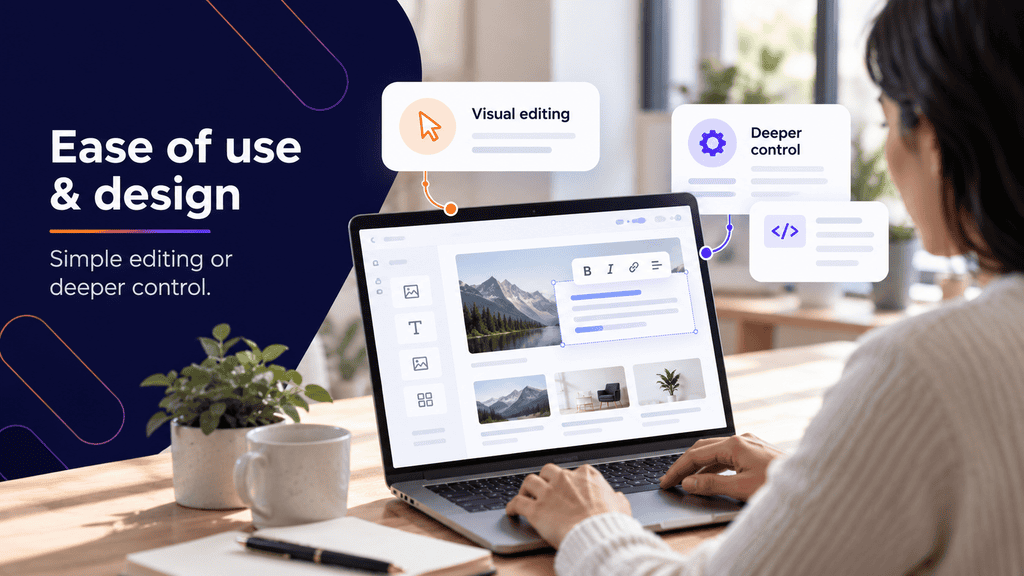
Ease of use is where Wix has one of its clearest advantages.
A business owner can create an account, select a starting design, add pages, edit content visually, connect a domain, and manage many common website functions without assembling a separate technical stack.
For a five-page brochure website that needs a homepage, about page, services, contact form, and basic blog, that can be appealing.
WordPress Gives You More Ways to Build
WordPress works differently because the CMS does not dictate one design workflow.
A website may use:
- The native WordPress block editor
- A custom theme
- A commercial theme
- Elementor or another page builder
- Custom Gutenberg blocks
- A combination of custom templates and editable content areas
- Custom PHP, CSS, JavaScript, or integrations
That flexibility is one reason businesses often choose professional WordPress development when the website has requirements that go beyond a standard template.
It also creates more opportunities to build the site poorly.
For example, installing several overlapping plugins and an oversized multipurpose theme may give a site owner lots of controls while introducing unnecessary code, inconsistent styling, maintenance dependencies, and potential plugin conflicts.
A carefully built WordPress website can instead restrict editing to the areas a marketing team actually needs while keeping global design elements controlled.
Consider Who Will Update the Website
The person building the website and the person operating it six months later may be completely different people.
Suppose a professional services company expects its office manager to:
- Publish one article each month.
- Change staff biographies.
- Add a new service occasionally.
- Update opening hours.
- Replace images.
Wix may handle those needs with relatively little training.
Now suppose the same company expects its marketing team to create dozens of location pages, build reusable service templates, manage custom post types, add sophisticated conversion tracking, implement structured data, and integrate a CRM.
WordPress becomes more attractive because the underlying content model and development environment can be adapted to the process.
Plugins can also extend WordPress far beyond its core publishing functionality, although adding more plugins is not automatically better. Compatibility, updates, security, performance, and long-term support all need to be considered.
Design Freedom Is Not the Same as Good Design
Both platforms can produce poor websites.
A drag-and-drop editor can make it easy to place an element almost anywhere, but that does not mean every placement is helpful.
Business website design still requires decisions around:
- Information hierarchy
- Navigation
- Responsive layouts
- Typography
- Calls to action
- Forms
- Accessibility
- Mobile usability
- Trust signals
- Content hierarchy
- Conversion paths
A well-planned responsive website design should work across screen sizes and guide visitors toward useful actions regardless of which CMS powers it.
The platform provides the tools. The structure of the website determines how effectively those tools are used.
Wix vs WordPress SEO and Website Performance
The Wix vs WordPress SEO comparison is often oversimplified.
Older discussions sometimes describe Wix as incapable of serious SEO. That is no longer an accurate description of the platform.
According to Wix’s current documentation, the platform supports editable URL structures, structured data, custom meta tags, robots directives, canonical tags, XML sitemaps, redirects, server-side rendering, Search Console verification, CDN delivery, and image optimization. Its full list of built-in Wix SEO features shows how much the platform’s technical SEO capabilities have expanded.
So the question is not, “Can a Wix website rank?”
It can.
A more useful question is: How much control will your SEO strategy eventually require?
Where Wix SEO Works Well
For many local businesses and smaller service websites, the most important SEO work happens in areas such as:
- Keyword and search-intent research
- Strong service pages
- Useful supporting content
- Title tags and meta descriptions
- Internal linking
- Local business information
- Google Business Profile optimization
- Image optimization
- Crawlable navigation
- Redirect management
- Structured page content
Wix provides tools for many of these tasks directly.
Its managed approach may also reduce some technical decisions because common infrastructure tasks are handled by the platform rather than individually configured by the site owner.
Where WordPress Provides More Control
WordPress becomes particularly useful when SEO requirements start affecting the way the website itself is built.
A development team can have detailed control over:
- Page templates
- Internal linking structures
- Taxonomies
- Custom post types
- Canonical implementation
- Redirect rules
- Structured data
- XML sitemaps
- Robots directives
- Server configuration
- Caching
- Image delivery
- Database optimization
- Hosting environments
- Custom functionality
- Content architecture
There is also a wide selection of SEO plugins, although installing an SEO plugin does not automatically make a site search-friendly.
A technically flexible platform can still have duplicate pages, incorrect canonicals, poor internal links, redirect chains, indexation problems, weak content, or slow templates.
Businesses that need deeper organic search work may therefore pair custom development with dedicated SEO services rather than treating SEO as a setting that gets switched on after launch.
Google Still Needs to Crawl and Understand the Site
Search engines do not rank websites simply because they use Wix, WordPress, or another CMS.
Google explains that JavaScript-powered pages go through crawling, rendering, and indexing processes. Its JavaScript SEO guidance also explains why important content and links need to remain accessible to Google.
For either platform, check practical questions such as:
- Can Google reach the important pages?
- Are internal links crawlable?
- Does each page return the expected status code?
- Is the important page content available to search engines?
- Are canonical URLs configured correctly?
- Are important pages accidentally set to noindex?
- Are duplicate or unnecessary URLs being created?
- Are redirects preserved during redesigns?
- Does the site have useful content matching actual search intent?
Those issues matter more than the CMS logo in the footer.
Performance Depends on Implementation
WordPress gives you control over hosting, caching, scripts, themes, plugins, image handling, and database configuration.
That means a well-built WordPress website can be highly optimized.
It also means a poorly maintained WordPress site can become slow.
A common example is a site that starts with a page builder and then accumulates multiple analytics scripts, chat widgets, tracking pixels, animation libraries, oversized images, several form plugins, and third-party marketing tools. The CMS is not necessarily the problem. The implementation is.
Wix handles more of its infrastructure centrally. Its documented SEO and performance features include CDN delivery, caching, server-side rendering, and automatic image optimization.
For either platform, test actual templates rather than making assumptions from the homepage. A lightweight homepage may perform well while a service page containing embedded videos, sliders, third-party scripts, and large images performs very differently.
Cost, Maintenance, Ownership, and Scalability
The cheapest website in year one is not necessarily the least expensive website over five years.
Wix and WordPress also structure their costs differently, which makes simple price comparisons misleading.
Wix Costs Are More Bundled
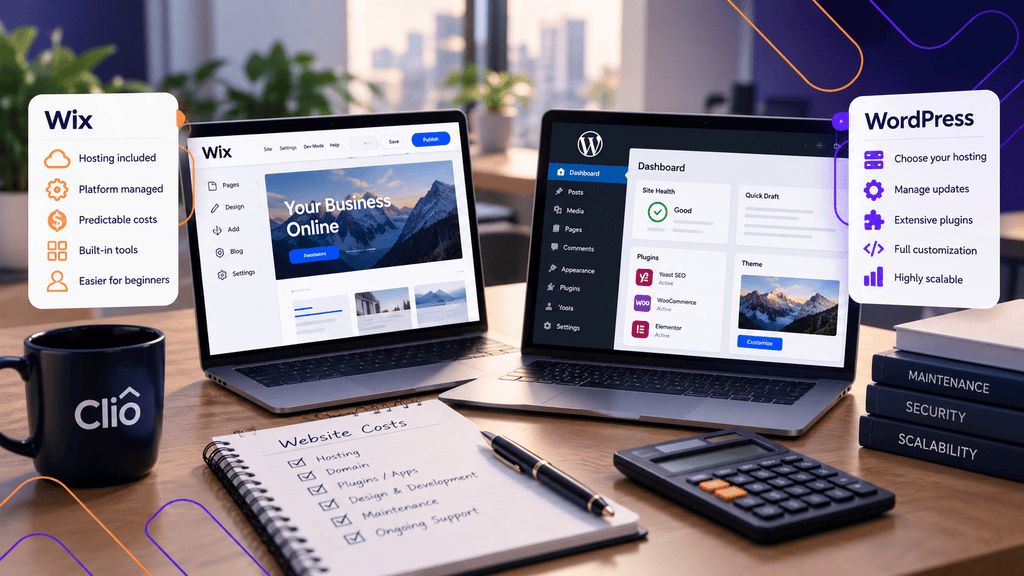
With Wix, your subscription generally combines the platform and hosting. Additional costs can arise from premium apps, eCommerce requirements, domains, marketing tools, or other services.
The benefit is predictability.
You are not separately selecting a web host, maintaining WordPress core, or deciding how server-level caching should be configured.
WordPress Costs Are More Modular
The WordPress software itself is open source. The operating cost of a business website may include:
- Hosting
- Domain registration
- Premium plugins
- Theme or page-builder licences
- Development
- Design
- Maintenance
- Backups
- Security services
- CDN services
- Technical support
- SEO tools
A small site using inexpensive hosting and mostly free plugins can cost relatively little to operate.
A large WooCommerce website on managed hosting with custom functionality, paid extensions, ongoing development, security monitoring, and staging environments can cost substantially more.
Comparing “Wix subscription price” against “WordPress is free” therefore does not tell you much.
Compare the complete operating model.
WordPress Requires Maintenance
A WordPress installation is something the owner or their service provider needs to manage over time. The official WordPress site maintenance documentation recommends regular maintenance that includes updates, backups, checking links, and reviewing the site for ongoing problems.
Typical business maintenance may include:
- Updating WordPress core
- Updating themes
- Updating plugins
- Testing changes
- Reviewing backups
- Monitoring uptime
- Checking security issues
- Fixing plugin conflicts
- Reviewing forms
- Checking analytics
- Removing unused software
- Monitoring performance
Updates should not simply be applied blindly to an important business website.
A safer workflow is to maintain backups and, when the site’s complexity warrants it, test significant updates in a staging environment before applying them to production.
Wix abstracts much more of that platform maintenance from the site owner.
For businesses without technical staff, this may be a genuine advantage rather than a limitation.
Think About Platform Control
One of the biggest structural differences is portability.
With WordPress, the business can typically move the website to another compatible hosting provider, give a different developer access, modify the source code, replace plugins, or build new functionality around the existing CMS.
With Wix, the site remains much more closely tied to the Wix platform.
That may never matter for a small company that wants a dependable website and has no unusual technical plans.
It matters more when the website becomes part of a larger technology stack.
For example, imagine a business starts with:
- Five service pages
- One contact form
- A blog
Three years later it needs:
- 100 location pages
- Custom lead routing
- Salesforce integration
- A gated resource library
- Different content permissions
- Custom calculators
- Advanced analytics
- Several conversion funnels
- Structured data generated from custom fields
That future requirement should influence the platform decision made today.
Scaling Is About Complexity, Not Just Traffic
“Can Wix handle traffic?” and “Can WordPress handle traffic?” are not especially useful questions without context.
A website serving thousands of mostly static page views has very different requirements from an online store performing inventory queries, personalized account functions, subscriptions, filtering, API calls, and payment processing.
For WordPress, higher complexity may require stronger hosting, database tuning, caching, CDN configuration, or development work.
For Wix, you need to confirm that the features and platform APIs support what your business intends to build.
Scalability should therefore be evaluated in terms of future functional requirements, not simply visitor numbers.
Which Platform Fits Different Business Requirements?
The following scenarios provide a more practical way to compare WordPress vs Wix.
Scenario 1: A Small Local Service Company
Suppose a new cleaning company needs:
- Homepage
- About page
- Four service pages
- Contact form
- Basic blog
- Testimonials
- Google Maps information
The owner wants to make occasional edits and does not expect custom software integrations.
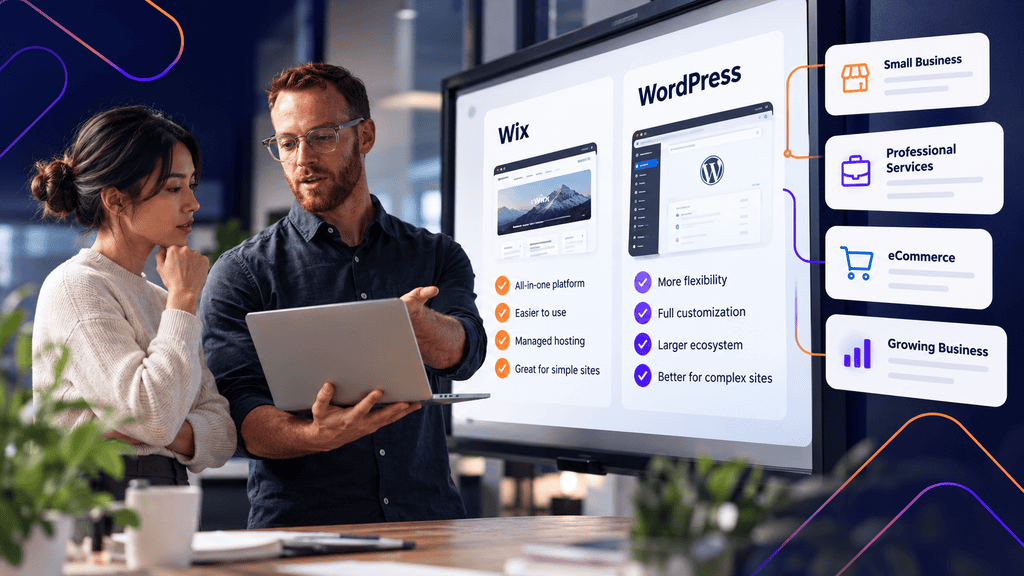
Wix could be perfectly reasonable.
WordPress would also work, but some of its flexibility might provide little immediate value unless the company expects its SEO and content strategy to expand substantially.
Scenario 2: A Professional Services Company Investing Heavily in SEO
Now consider an accounting firm with several service categories and multiple office locations.
It plans to build:
- Detailed service content
- Location landing pages
- Resource hubs
- Staff profiles
- Downloadable resources
- Conversion-specific forms
- Structured internal linking
- Custom schema
- CRM integrations
Either system may support parts of this strategy, but WordPress gives developers greater freedom over content models, templates, technical SEO, and integrations.
For that business, the extra maintenance responsibility may be worthwhile.
Scenario 3: A Marketing Team Needs Independence
A marketing team wants to launch landing pages frequently without sending every text change to a developer.
Both Wix and WordPress can work.
With WordPress, the key is how the editing experience is built. A custom WordPress site that requires developers to edit every component defeats much of the value of using a CMS.
A sensible build might provide reusable sections, controlled design patterns, editable custom fields, and predefined page templates so marketers can create pages without breaking the design system.
Scenario 4: An eCommerce Business
Wix includes eCommerce capabilities, while WordPress websites commonly use WooCommerce or other integrations.
For a straightforward catalogue and checkout process, either may be suitable.
As the store becomes more complex, investigate requirements such as:
- Product variations
- Inventory management
- Shipping logic
- Payment providers
- Subscription products
- Tax configuration
- ERP integration
- CRM integration
- Product feeds
- International sales
- Custom checkout functionality
- Wholesale pricing
The right platform may become obvious only after those requirements are documented.
What About Wix vs Squarespace vs WordPress?
Businesses researching Wix vs Squarespace vs WordPress are usually deciding between two hosted website builders and a more flexible open-source CMS.
Wix and Squarespace both reduce much of the hosting and software-maintenance burden. WordPress generally provides more flexibility around hosting, code, plugins, content architecture, and custom development.
The same decision principle applies: prioritize a managed experience if simplicity is the main requirement, and prioritize extensibility if the website is expected to become a more complex business system.
A Practical Wix vs WordPress Decision Checklist
Before choosing a platform, document what the website needs today and what it is reasonably likely to require later.
Step 1: Map the Website Structure
List the pages and content types you expect to publish.
Do not write only:
20 pages.
Instead identify whether those pages include:
- Services
- Locations
- Products
- Blog posts
- Staff profiles
- Case studies
- Events
- Resources
- FAQs
- Landing pages
If your content requires several reusable templates and relationships between different types of information, flexibility becomes more important.
Step 2: List Required Integrations
Document every external system that needs to exchange information with the website.
Examples include:
- CRM
- Email marketing
- Booking system
- Payment gateway
- Accounting software
- Analytics
- Advertising platforms
- Customer portal
- Inventory management
- Review software
Then verify the integration itself. Do not assume that a platform supports something simply because both products are popular.
Step 3: Define Your SEO Requirements
Ask whether your SEO plan involves only standard page optimization or whether you expect deeper technical work.
Review needs around:
- Metadata
- Redirects
- Structured data
- Canonicals
- Internal linking
- XML sitemaps
- Location pages
- Custom content types
- Large content libraries
- Indexation controls
- Page performance
Both platforms offer SEO capabilities, but advanced requirements make implementation flexibility increasingly valuable.
Step 4: Decide Who Owns Maintenance
For Wix, much of the underlying infrastructure is managed.
For WordPress, decide who will handle:
- Updates
- Backups
- Security
- Plugin issues
- Hosting
- Performance
- Troubleshooting
If nobody owns these tasks, a WordPress website can gradually become difficult to maintain. Businesses that want WordPress flexibility without handling all of the technical upkeep themselves may use ongoing website maintenance services.
Step 5: Identify Your Editing Team
Write down who will actually use the CMS.
If three non-technical staff members publish content every week, ask to see the editing workflow before approving the platform or build.
Test tasks such as:
- Creating a page.
- Publishing a blog post.
- Replacing an image.
- Updating a call to action.
- Editing a staff biography.
- Previewing the mobile version.
A CMS that looks impressive during a sales demonstration may still be frustrating for the people using it every day.
Step 6: Separate Current and Future Requirements
Create two columns:
Need now
Likely within three years
If the second column contains memberships, complicated integrations, hundreds of pages, multilingual content, advanced eCommerce, custom applications, or substantial SEO expansion, weigh flexibility more heavily.
If the second column looks almost identical to the first, a simpler managed platform may make more sense.
Step 7: Compare Total Cost, Not Launch Price
Estimate three years of:
- Platform subscriptions
- Hosting
- Plugins or apps
- Development
- Maintenance
- Support
- Redesign work
- Integration costs
The goal is not to calculate a perfectly accurate total. It is to prevent a low introductory price from becoming the only factor in a long-term platform decision.
Choose Based on the Website You Will Need Later
The Wix vs WordPress decision becomes easier once you stop comparing feature checklists and start mapping actual business requirements.
Choose Wix when reducing technical responsibility, keeping management simple, and working inside one managed ecosystem are priorities.
Choose WordPress when greater control over design, hosting, functionality, SEO implementation, integrations, and future development justifies additional maintenance.
Most importantly, avoid choosing a platform solely because it is easier to launch this week. Map where the website needs to be in two or three years. The better platform is the one that can support that next version of the business without forcing unnecessary complexity today.
FAQs
Is Wix or WordPress better for a small business?
It depends on the website’s requirements. Wix can be a strong choice for a small business that values a managed, easy-to-use platform, while WordPress is often better suited to companies that want greater control, customization, integrations, or room to expand.
Is WordPress better than Wix for SEO?
WordPress provides more technical flexibility, but that does not automatically produce better rankings. Wix includes controls for metadata, structured data, redirects, sitemaps, canonicals, robots settings, and other common SEO requirements. Content quality, search intent, crawlability, site structure, technical implementation, and competition still influence organic visibility.
Can Wix websites rank on Google?
Yes. Wix websites can be crawled and indexed by Google, and Wix provides tools for common on-page and technical SEO tasks. Rankings are not guaranteed by any CMS, so the quality of the website, content, optimization, and competitive environment still matter.
Is Wix cheaper than WordPress?
Sometimes, but the comparison depends on the website. Wix bundles many website costs into a subscription, while WordPress expenses may include hosting, plugins, development, maintenance, and support. Compare the total cost of operating the website rather than the software price alone.
Is WordPress difficult to maintain?
A basic WordPress website can be straightforward to maintain, but complexity increases as themes, plugins, integrations, custom functionality, and traffic requirements grow. Business sites should have a clear process for updates, backups, security, performance monitoring, and troubleshooting.
Can I Move From Wix to WordPress Later?
Yes, but a Wix-to-WordPress migration is normally a website migration rather than a simple hosting transfer. Content, design, URLs, forms, metadata, images, redirects, analytics, and integrations need to be reviewed carefully, particularly if the existing Wix site already receives organic search traffic.
Should I Choose Wix or WordPress for eCommerce?
Either can support eCommerce, but document the store requirements before deciding. A smaller store may be comfortable with Wix’s integrated tools, while businesses requiring specialized checkout behaviour, complex integrations, custom product structures, or extensive development may prefer the flexibility available through WordPress and WooCommerce.